From your first product to your first delivery.
Five steps, in the order you’d actually do them. Most distributors are taking real orders on the same day they start.
All you need is your product list and your customers’ numbers.
No hardware, no installation, no accountant. If you have a spreadsheet, you’re already most of the way there.
Your product list
A CSV, a spreadsheet, or a notebook. Import it in one upload, or type products in as you go.
What each store pays
The prices you already quote. Group the stores that pay the same and you’ll do this once, not fifty times.
Their mobile numbers
That’s the login. Your customers get a one-time code by SMS, no passwords, no app to install.
Set it up once, then just run the day.
Build the catalogue you sell from.
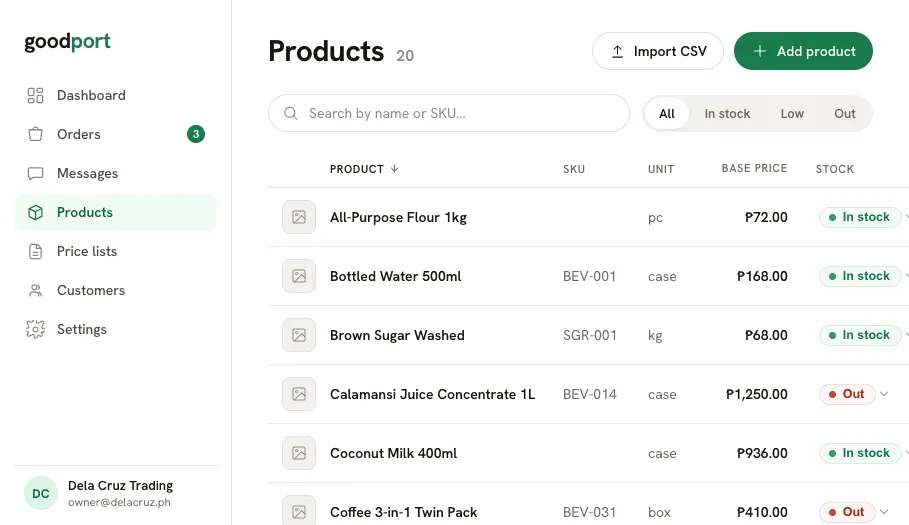
Enter each product with its name, unit, base price, and stock, or import your whole list from a CSV in four guided steps. Your base price is private to you and never shown to a buyer.
- Name, SKU, unit, base price, stock
- CSV import with a per-row review before anything is saved
- Update stock inline, straight from the list
One price list per kind of customer.
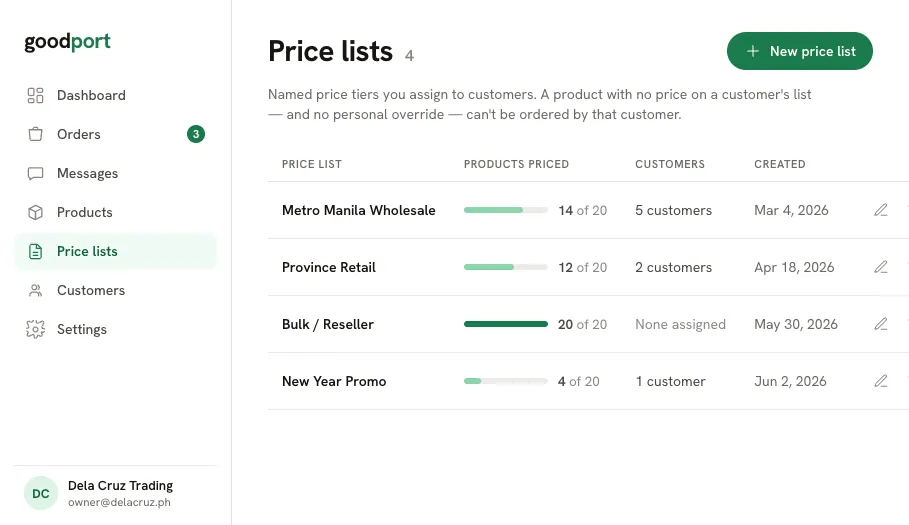
Create a list, say “Sari-sari stores”, and price your products inside it. Assign that one list to every store that pays those prices. A warning banner counts anything still unpriced, so nothing goes out without a number.
- Type a price, press Enter, jump to the next product
- One-click filter for items still missing a price
- Assign one list to as many customers as you like
Add each customer and send them in.
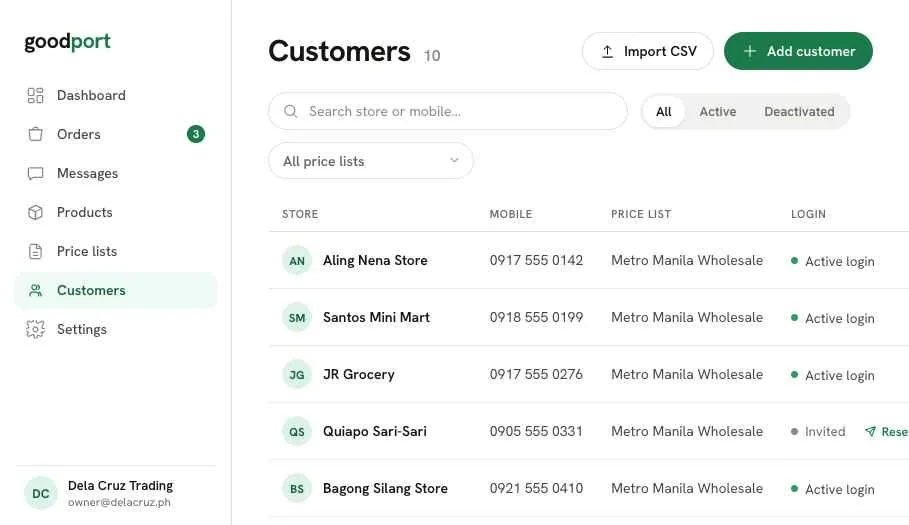
Create a customer record with the store name, mobile number, price list, and minimum order. They get an invite, log in with a one-time code, and see your catalogue at their prices. Need a special price for one item? Set an override on the record, the effective price updates on the spot.
- Invited or Active login status, with resend one click away
- Per-item overrides on top of the assigned list
- A minimum order per store, enforced at checkout
They order. You get one queue.
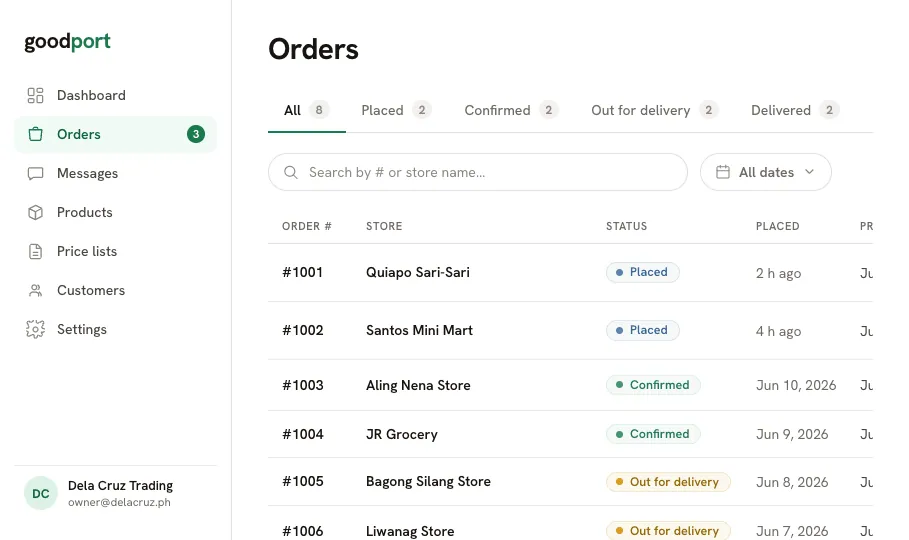
Orders arrive from the buyer portal into a single queue, grouped by status. The Placed tab is your to-do list, and anything sitting overnight is flagged on the dashboard the next morning.
- Quick Confirm right from the list, one click, no detour
- Adjust quantities or remove a line while Placed or Confirmed
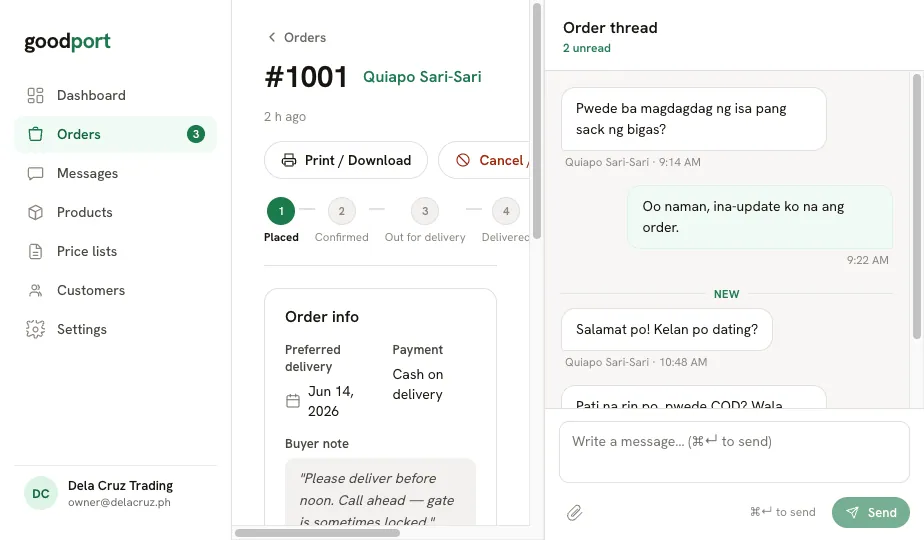
- Questions land in Messages, attached to the order itself
Move it forward, print the slip, done.
Open the order to advance it: Confirmed, Out for delivery, Delivered. Print a purchase order for the driver, prices frozen exactly as the buyer placed them. Once it’s out for delivery the lines lock, so the paperwork and the truck always agree.
- Forward-only status steps, nothing moves back by accident
- Printable purchase order, ready to save as PDF
- Cancel with a reason that reaches the buyer and the thread
What your customer does.
Four taps from the store aisle to a placed order. No app, no account creation, no calling you at nine in the evening.
1 · Log in
Mobile number, one-time code. That’s the whole sign-up.
2 · Shop
Your catalogue at their prices, with stock shown honestly.
3 · Check out
No payment taken. Minimum order shown as an exact shortfall.
4 · Follow it
Status updates on the order, and a thread to ask you anything.
The things distributors ask first.
Do my customers see my base price?
Never. Your base price is your own reference. A store only ever sees the price from their assigned list, or an override you set for them specifically.
What if two stores pay different prices?
That’s the normal case. Give them different price lists, or keep them on the same list and set an override on the one item that differs.
Does goodport take payment?
No. Checkout records how the store intends to pay, COD, bank transfer, GCash, and you settle it the way you always have.
What happens to old orders when I change a price?
Nothing. Every order freezes its prices at the moment it was placed, so history stays true even after a list changes.
Can I still take orders over Viber?
Yes, you just enter them yourself, and they live in the same queue. Most distributors move stores over one at a time.
How long does setup take?
If your products are in a spreadsheet, the import and the first price list take an afternoon. Inviting stores is a few minutes each.
Start with step one.
Add your products, price them per customer, and take your first order through goodport today.