Everything you need to run the business.
Six parts that work as one system: catalogue, pricing, customers, orders, messages, and the buyer portal your stores order from. Nothing falls out along the way.
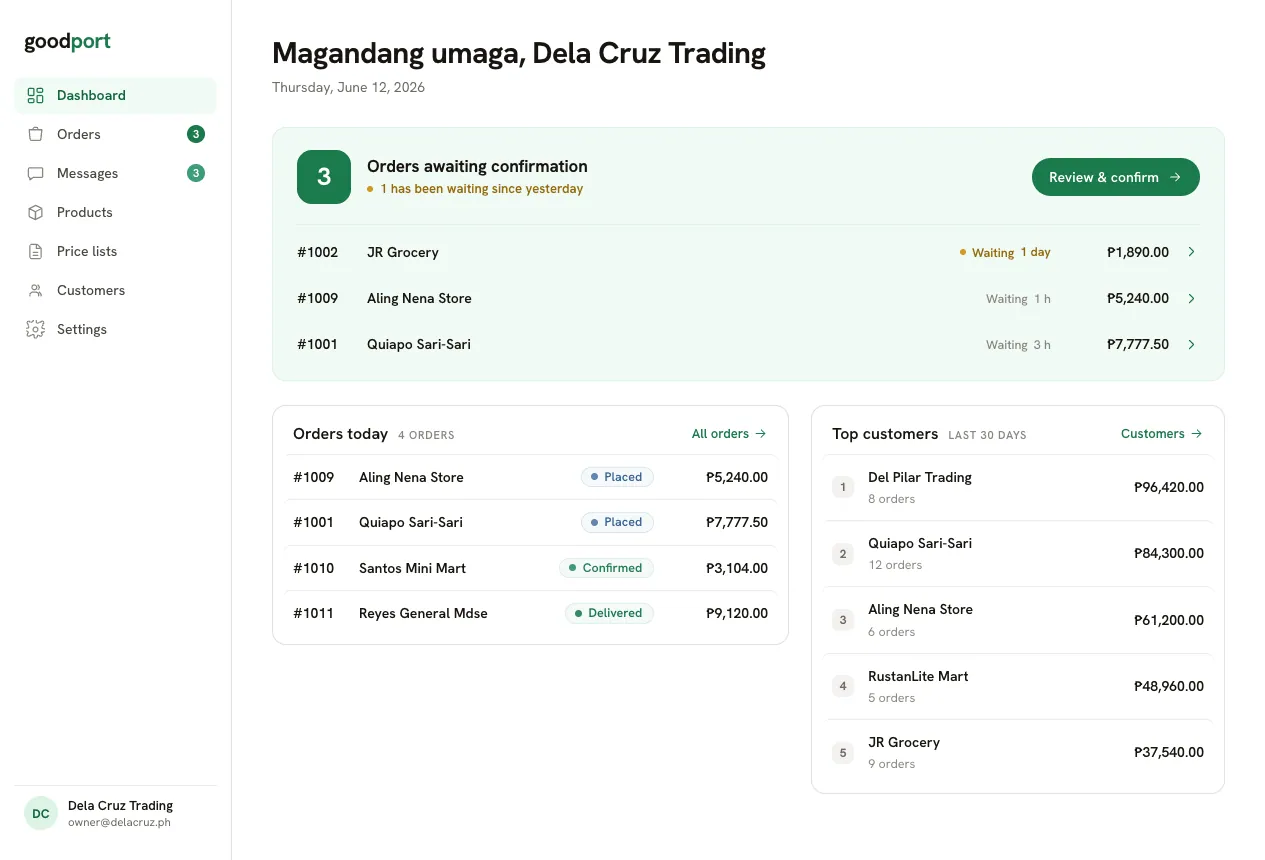
Open the day already knowing what needs you.
Three modules, no charts to decode: orders waiting for confirmation, what came in today, and who your best customers are.
- Pending confirmations front and center, with overnight orders flagged
- Today’s orders and top customers over the last 30 days
- Every number links straight to the order or the customer
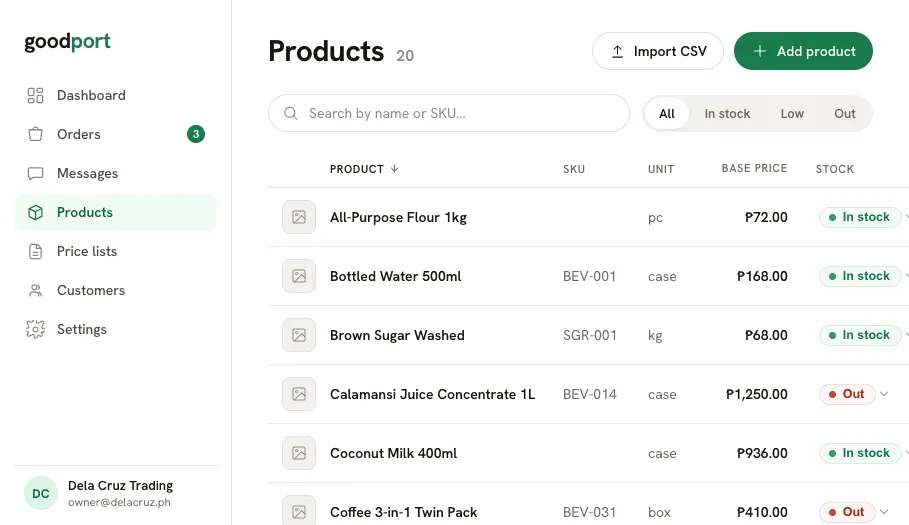
All your products, organized and always up to date.
Add every item with its name, SKU, unit, base price, and stock. Change stock right in the list, without opening a single form.
- Inline stock editing with instant confirmation
- Search by name or SKU, sort by product or price
- Set one default selling price, then negotiate per customer
- Import your whole catalogue with one CSV upload
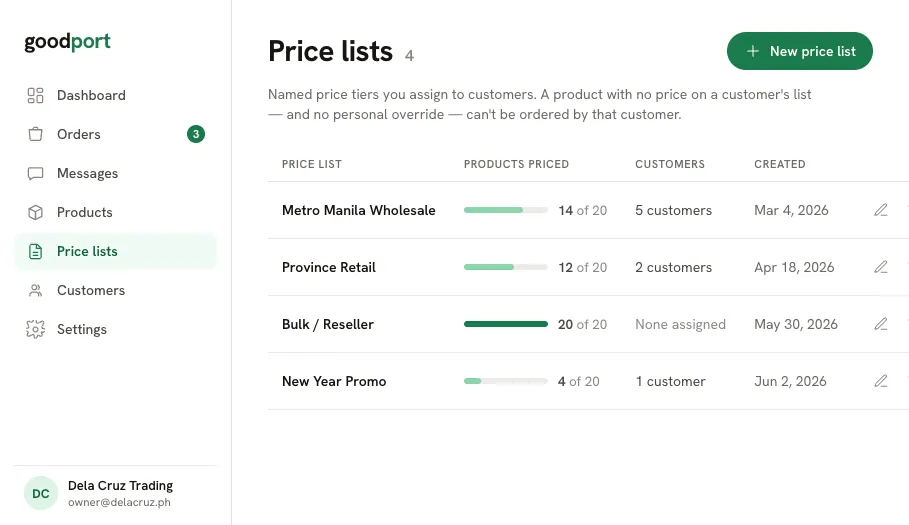
A different price for every customer, on record.
Build a price list per customer group, then assign it to as many stores as you like. Items still missing a price are impossible to miss.
- One list, many customers, price once, apply everywhere
- A loud warning and a one-click filter for unpriced items
- Type a price, press Enter, and jump straight to the next item
- Changing a list never touches orders already placed
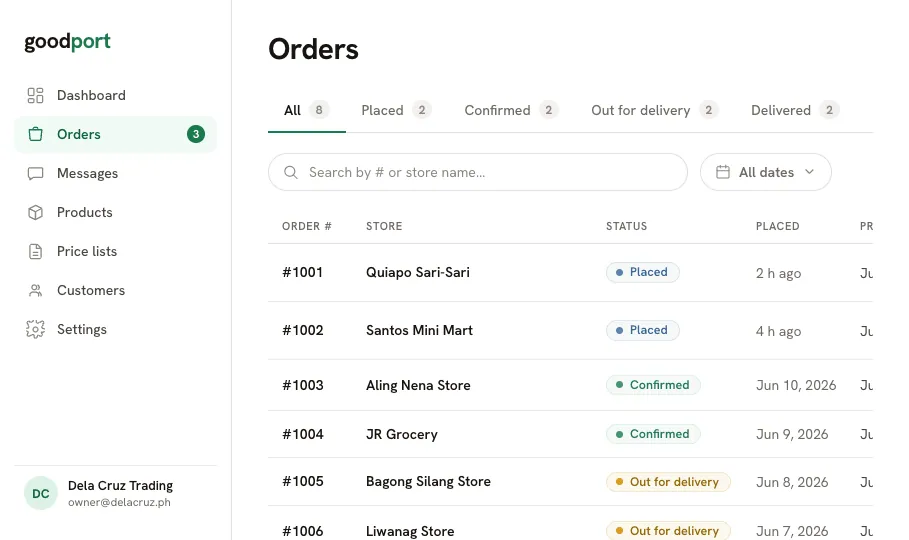
Every order, in one queue.
Orders arrive by status: Placed, Confirmed, Out for delivery, Delivered. Confirm from the list in one click, or open an order to work the lines.
- Quick Confirm inline, no detour, no extra screen
- Live counts per status, with Placed flagged as your to-do
- Adjust quantities or remove a line while Placed or Confirmed
- Cancel with a reason that reaches the buyer and the thread
The order, the lines, and the paperwork in one view.
Advance the status, work the line items, and print a purchase order for the delivery, all without leaving the order.
- Forward-only status steps, so nothing moves backwards by accident
- Prices frozen at the moment the order was placed
- Printable purchase order, ready to save as PDF
- Lines lock automatically once the order is out for delivery
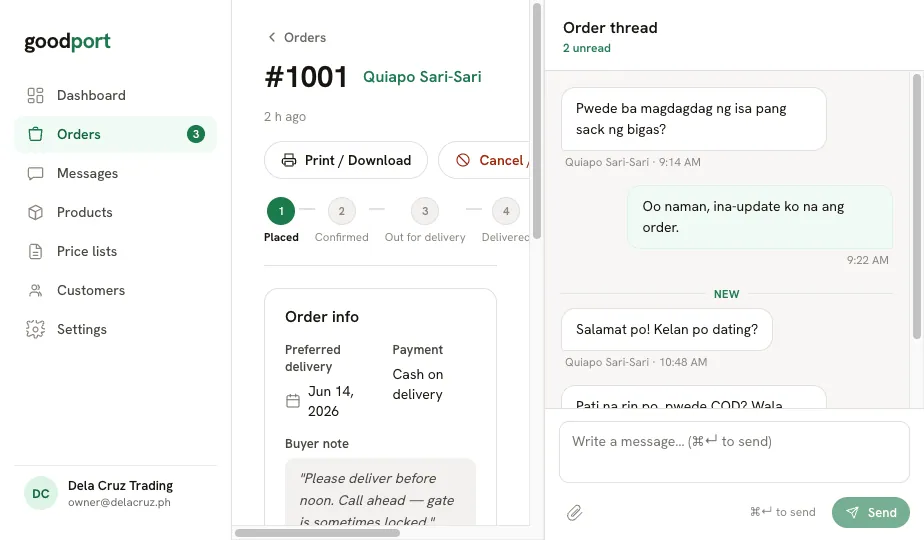
The conversation lives on the order itself.
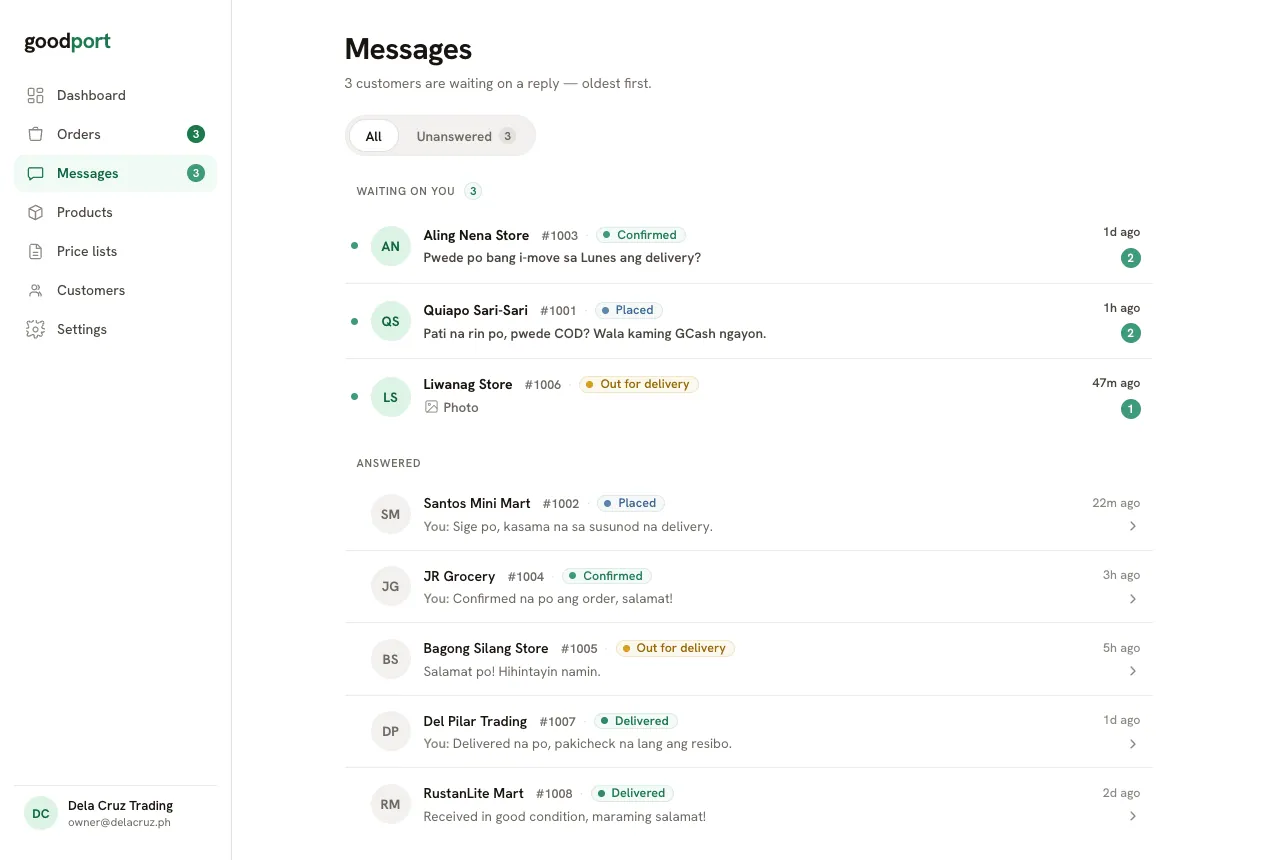
Every order has its own thread. The inbox is one list, sorted so the person who has waited longest is always at the top.
- Sorted by longest waiting first, no folders to manage
- Unread badges you cannot miss
- Every thread opens the order it belongs to
- Photos and notes stay attached to the order forever
Every customer, and exactly what they pay.
A customer record holds the store, the mobile number they log in with, their price list, and their minimum order. Override a single item when you need to, and the effective price updates on the spot.
One record per store
Store name, mobile number, minimum order, and whether their login is invited or active, with resend one click away.
Effective price, always visible
For every product you see the list price, any override, and the final price the buyer sees, with its source labelled.
Deactivate without deleting
Turn a store’s access off and keep the history. Past orders and prices stay exactly as they were.
Bulk import
Bring in your customer list from a CSV. Duplicate mobile numbers are flagged as errors, never merged silently.
Your customers order themselves.
Invite a store and they get their own portal: your catalogue, at their prices, on their phone. No app to install, no password to forget.
Mobile number login
A one-time code by SMS. Nothing to install, nothing to remember.
Their prices only
Each store sees the price you set for them, never your base price, never another store’s.
Reorder in one tap
Last order back in the cart, re-priced live, with anything unavailable listed plainly.
Message on the order
Questions land in your inbox, attached to the order they’re about.
The small things that save the day.
CSV import
Products or customers, in four steps: upload, map your columns, review every row, import. Valid rows go in even when some rows fail.
Your branding
Your company name, logo, and accent colour carry through the buyer portal and every purchase order you print.
Purchase orders
A clean, printable order slip with frozen prices, save it as a PDF or hand it to the driver.
Minimum orders
Set a minimum per customer. The buyer sees exactly how much more they need to add before they can check out.
See it with your own catalogue.
Start with your products, set your prices per customer, and invite your first store.